Google Veo 3.1 Review: Our Hands-On Experience with Google Veo 3.1 on Areze
Model Reviews · June 17, 2026 · 4 min read
Google's newest video model, Veo 3.1, builds directly on Veo 3, and the upgrades are substantial. Prompt adherence is noticeably tighter, meaning your vision actually translates to the output. Native audio is richer too, with sound and motion working together more convincingly than before.
Three new features stand out:
Ingredients to Video — feed it reference images and it generates a full video while locking in character and scene consistency.
Frames to Video — give it the first and last frame of a shot, and it builds a smooth, natural transition between them.
Extend Video — turn a short clip into a minute or more of continuous action.
A one-click object removal tool is also rolling out, capable of erasing unwanted elements and rebuilding the background seamlessly.
Areze AI Creative Studio is powered by Veo 3.1, giving creators direct access to all of this. We ran a series of tests focused on the biggest upgrades, native audio, Ingredients to Video, and Frames to Video.
Spoiler: it's a meaningful step forward.
Putting Veo 3.1 to the Test
Native Audio Generation
A close-up of a sizzling cast-iron skillet in a bustling restaurant kitchen. A chef flips a steak, and you can hear the chatter of other cooks and the clatter of pots and pans in the background.
Result: The output genuinely impressed us on the primary audio layer, the steak's sizzle came through crisp, sharp, and perfectly placed front and center. But the "chatter of other cooks" we specifically requested in the prompt never showed up. Without it, the kitchen felt quieter and less alive than it should have, that human layer is exactly what would've made the soundscape feel fully realized.
Frames to Video
Start and End Frame Image
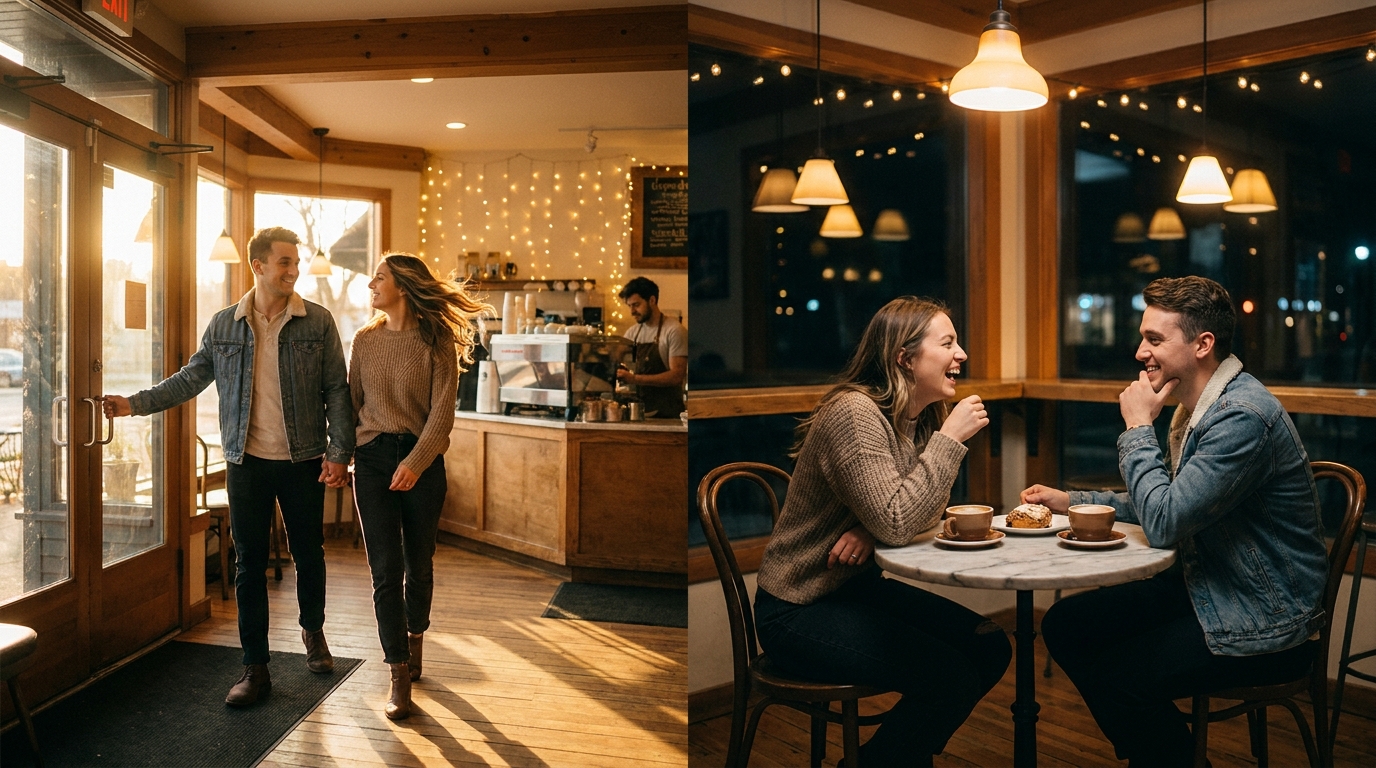
Using the first and last frames as bookends, create a 10-second smooth transition video where a couple enters the café, sits down, orders coffee, and starts chatting animatedly as night falls.
Result: Character and scene consistency held up well, and the start and end frames did anchor the sequence as intended. But the transition between them wasn't smooth. Some actions, like a coffee mug just suddenly appearing on the table, felt abrupt rather than earned, and the continuity leading into that final frame had some noticeable gaps.
Ingredients to Video
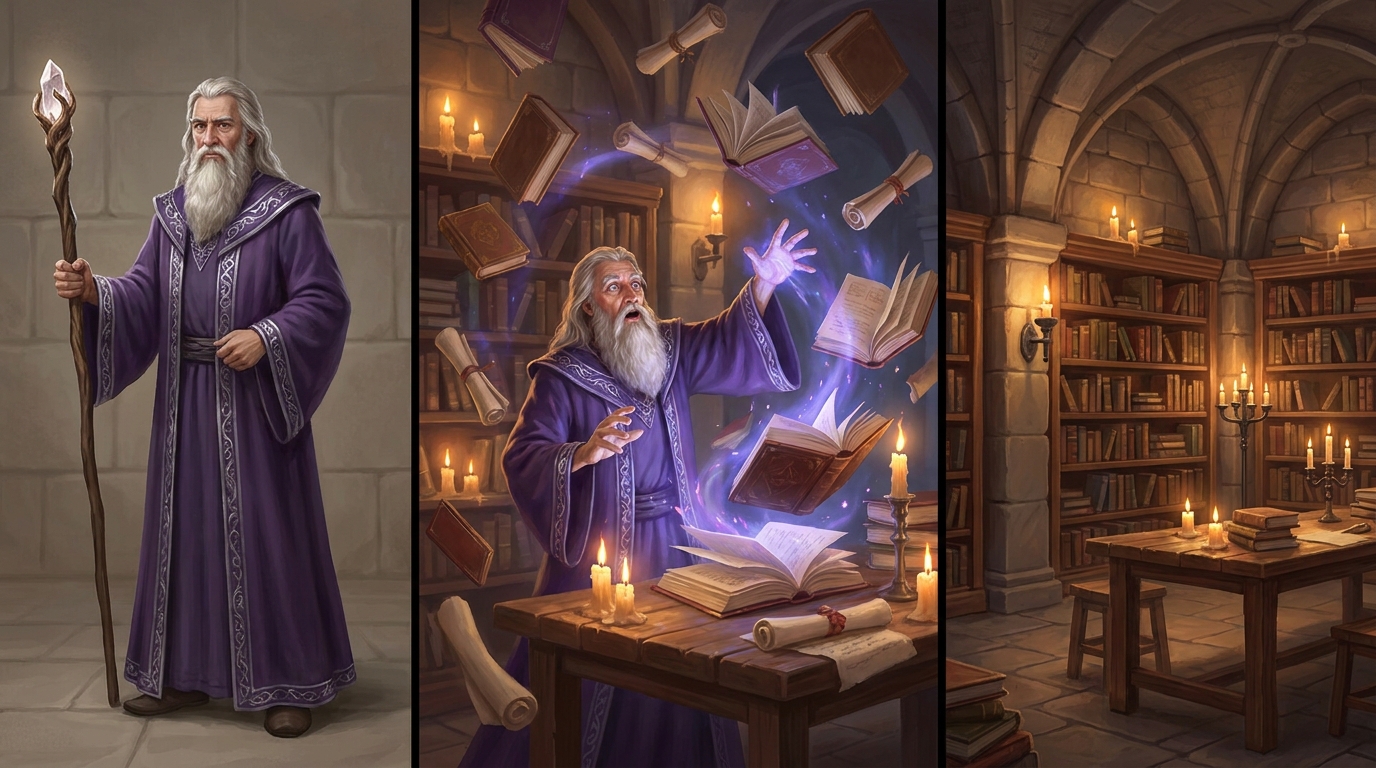
A bearded wizard in purple robes in a candlelit stone library is reading an ancient tome, suddenly looking up surprised, then casting a spell that makes books float around him.
Result: The atmosphere was a clear win, the candlelit stone library and overall mood came through beautifully, rich and cinematic. The wizard himself was a different story: his face and beard didn't quite match the reference image, pointing to some limits in character fidelity. That said, once past the initial mismatch, the model held its footing well, strong scene adherence and consistency throughout, delivering a sequence that genuinely felt immersive despite the rough start.
Final Verdict
Veo 3.1 is genuinely strong at maintaining consistent characters and scenes, visual integrity holds up well across frames and between specified bookends. Primary actions, objects, and main audio effects come through clearly too.
Where it falls short is anything that requires dynamic, nuanced execution. A few recurring weak spots:
Smooth transitions and continuity. Multi-step actions tend to feel abrupt, objects appearing out of nowhere rather than entering naturally, and the path into end frames often lacks real continuity.
Emotional nuance. Specified emotions don't always land. A "surprised" expression might come across as mild, or a "laughing" couple might look static rather than animated.
Complex object animation. Multiple objects interacting, like books floating through a scene, can feel stiff or mechanical, with objects popping into place instead of moving organically.
Layered audio. Primary sound effects are solid, but secondary or background audio, even when explicitly prompted, often gets dropped, leaving the soundscape feeling thinner than it should.
Why Create with Veo 3.1 on Areze AI Creative Studio?
Areze AI Creative Studio brings the best of AI video generation into one place, think of it as your creative control center, where you get power and flexibility without the usual tradeoffs.
You're never locked into a single model. Switch freely between Google Veo 3.1, Veo 3, Kling 2.5 Turbo, Wan 2.5, and more, depending on what each project actually needs. Want Veo 3.1's realism and storytelling depth for one scene? Use it. Need speed or a different visual style for another? Swap over instantly. No compromises, no waiting on one tool to do everything.
Beyond model access, Areze packs in a full suite of video generation tools:
Image to video — bring still photos to life
Text to video — turn a script directly into visuals
AI avatar video generator — craft compelling presenter-style clips
AI short video generator — quick clips in animal, anime, or calming aesthetic styles
Motion transfer — mimic the motion of any reference video
Ready to put it to work? Get started on Areze and start turning ideas into finished vide