Runway vs. Sora vs. Areze: Which Is the Best AI Video Generator?
Comparisons · July 1, 2026 · 7 min read
Runway and Sora are two prominent AI video generators, recognized for their quality output and exciting potential. Meanwhile, Areze AI has carved out its own space as an all-in-one creative studio, bundling text-to-video, image-to-video, consistent character generation, and even access to top third-party models. However, each platform has its own distinct strengths and weaknesses, meaning one might be better suited to your specific needs or budget than the others.
With that in mind, this Runway vs. Sora vs. Areze guide will provide an in-depth look at all three of these tools. We'll delve into their pros, cons, and the key features that differentiate each one, offering a final verdict on which one could be your ideal creative partner.
TL;DR
Of the three, Areze comes out on top for most creators. The main reason is access, instead of committing to one model, you get 30+ on a single platform. The output quality backs it up too: detailed, realistic, high-resolution video without needing to stitch together multiple tools.
Sora produces impressive results and the underlying technology is solid, but the interface has a learning curve that can slow down newer users. Runway is capable and flexible, but narrower in scope compared to what Areze puts in one place.
Runway
Pros:
Detailed, realistic output
Standout features like Act One make it genuinely powerful for experienced users
Strong creative ceiling for those who know how to push it
Cons:
Steep learning curve, not beginner-friendly
Inconsistent prompt handling on complex requests
On the expensive side
Sora
Advantages:
Strong prompt adherence
Detailed, high-quality output
Advanced features like Remix open up interesting creative possibilities
Disadvantages:
Struggles with motion and physics
No free version, and pricing is steep
Not available in the EU or UK
Areze
Advantages:
Access to 30+ models in one place
High-quality, detailed output across styles
Beginner-friendly interface
Strong template and tool library
Free credits on signup, no commitment needed to try it
Disadvantages:
Free version has limitations for larger projects
Introducing Runway

Runway has established itself as one of the more serious AI video tools out there, built for creators who want real control over their output. The range covers everything from realistic character-focused clips to sci-fi and fantasy sequences, and you can switch between three generative models (Gen-2, Gen-3 Alpha, and Gen-3 Alpha Turbo) depending on what the project needs.
The standout features are Act One, which generates animations from video and voice inputs, Lip Sync for matching audio to video, and Motion Brush, a tool that lets you paint movement directly onto the canvas. Powerful stuff, but it comes with a learning curve.
Pros:
Multiple models to switch between
Advanced features like Act One, Lip Sync, and Motion Brush
High-resolution video output
Strong for animations and character work
Cons:
Interface takes time to learn
Output doesn't always match the prompt precisely
Motion and physics can be inconsistent
Some tools, Motion Brush especially, require real practice to use well
Introducing Sora

Sora comes with built-in name recognition, it's made by OpenAI, the same company behind ChatGPT, and the ambition is similar: do for AI video what ChatGPT did for text generation.
In practice, it delivers on a lot of that promise. Prompt adherence is genuinely strong, even on complex or detailed requests, and the output quality is among the best in the space. It supports text-to-video, image-to-video, and video-to-video generation, with enough customization options to suit professional and commercial use cases.
The catch: it's expensive, there's no free version to try before committing, and it's currently unavailable in the EU and UK, which rules it out entirely for a significant chunk of potential users.
Advantages:
Detailed, realistic video output
Strong prompt understanding, even on complex requests
Flexible and customizable
Supports images and video as reference inputs
Professional features suited for commercial work
Disadvantages:
Not available in the EU or UK
Pricing is steep with no free tier
Some features have a learning curve for newer users
Introducing Areze
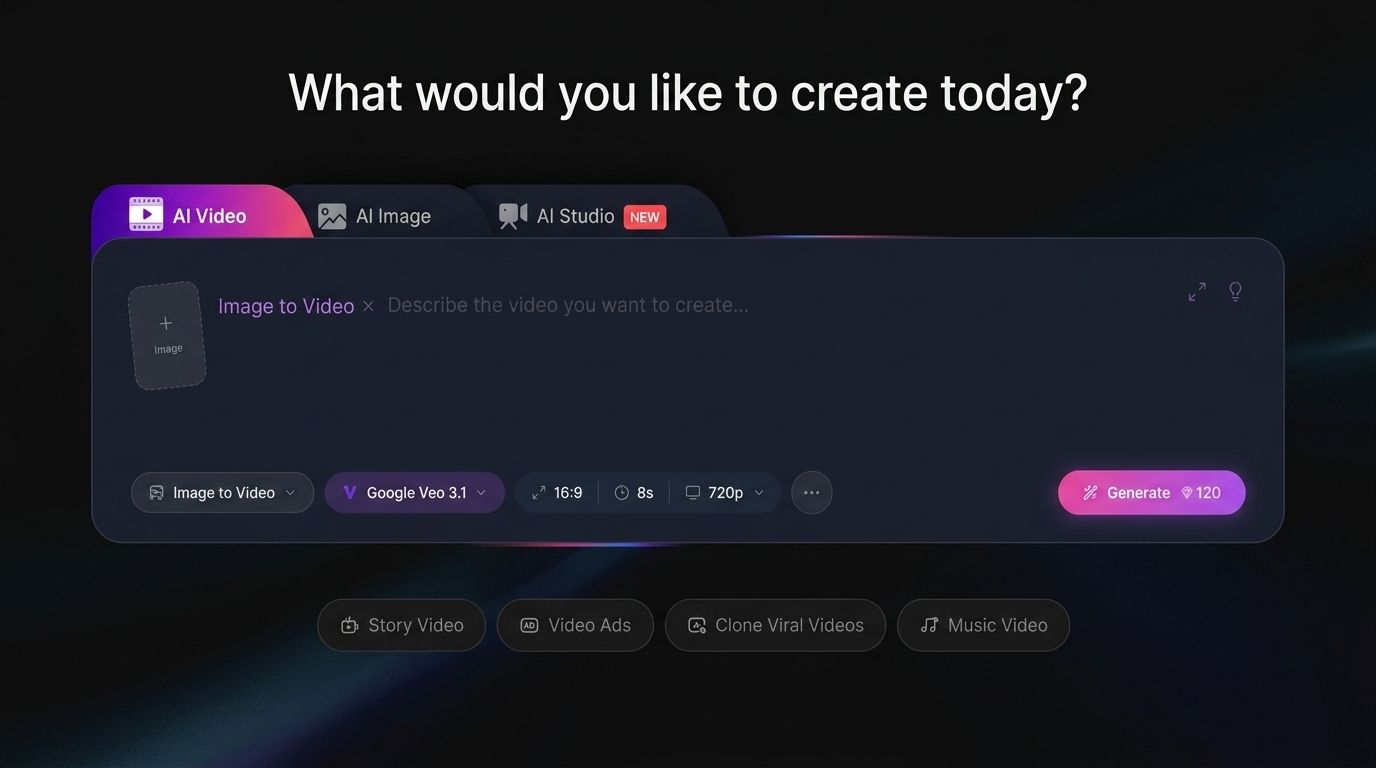
Where Runway and Sora each do one thing exceptionally well, Areze is built around a different idea: give creators access to everything in one place.
The platform consolidates 30+ leading AI video models, including Runway, Kling AI, Pixverse AI, Gemini, and Vidu AI, so you're not locked into a single engine. Text-to-video, image-to-video, video-to-video, consistent character video, all of it is available without jumping between platforms or managing multiple subscriptions.
The interface is designed to work for beginners and experienced creators equally, processing is fast, and the output holds up on physics, motion, and detail.
Advantages:
Access to 30+ AI video models in one platform
Works with text, image, and video prompts
Beginner and advanced-user friendly
Fast processing times
Strong template and tool library
High-quality output with solid physics and motion
Free plan available, with fair and flexible pricing
Free credits on signup
Disadvantages:
Free tier has limits on video generation volume
Features Comparison: Which Is the Most Versatile?
Let's get into the specifics: video quality, customization, extra features, and ease of use across all three platforms.
Video Output Quality
All three tools produce solid results, but in different ways.
Runway is particularly strong with character-focused content, realistic videos of people speaking, which works well for brand ads or tutorial-style content.
Sora delivers impressive detail across the board and follows prompts accurately, even complex ones. The weak spot is motion and physics, it occasionally struggles to render these convincingly.
Areze performs consistently well regardless of what you're making. Realistic scenes, fantasy sequences, animations, landscapes, people, the output holds up across the range without needing to switch tools.
Customization and Control
This is where the three diverge most clearly.
Sora is the most limited here. The interface is clean and simple, but that simplicity comes at the cost of control, aspect ratio and quality adjustments are about as far as it goes.
Runway gives you meaningful control: duration, camera movement, output quality, and Motion Brush for frame-level movement editing. Solid for experienced users who know what settings to reach for.
Areze offers the most control of the three. Standard and Professional modes, duration, aspect ratio, camera settings, negative prompts, and a creativity level dial, everything you'd want to fine-tune without needing to leave the platform.
Extra Features
Areze sets the widest table here. Beyond the core generation tools, there's an AI video enhancer, plus a template library covering specific use cases. If you're building a content series or want to experiment, there's a lot to work with.
Runway's standout extras are Lip Sync, for syncing audio with character mouth movements, and Act One, which generates high-quality character animations from video and voice inputs.
Sora brings Storyboard mode, which lets you combine multiple AI-generated clips into a larger project, and Remix mode for reworking and editing existing AI videos.
Ease of Use
Sora's interface is simple on the surface, clean, minimal, not overwhelming for beginners. But the more advanced features like Storyboard have a steep learning curve that catches newer users off guard.
Runway skews toward experienced users. Act One in particular can be confusing to get into, and with multiple models to choose from, newer users can struggle to know which one to reach for. Parts of the experience are more intuitive, but it's not a beginner-first platform.
Areze is the most accessible of the three without sacrificing depth. The interface is clean and well-organized, making it easy for beginners to get started, while experienced creators have enough under the hood to keep things interesting. Both groups can work comfortably without feeling like the tool is fighting them.
Price Comparison: Which Offers the Best Value?
Here’s an overview of the pricing plans for all three of these tools:
Runway
Free: Free
Standard: $15/month
Pro: $35/month
Max: $95/month
Enterprise: Custom pricing
Sora (via ChatGPT subscriptions)
ChatGPT Plus: $20/month
ChatGPT Pro: $200/month
Areze
Free: Free (includes signup credits)
Creator: $15/month
Studio: $35/month
Premium: $95/month
The right choice comes down to what you need and what you're willing to spend.
The Areze Advantage
Runway and Sora are both capable tools, but they're built for specific use cases and specific users. Areze is built for everyone else: one platform, 30+ models, and enough flexibility to handle whatever you're making.
That's the real differentiator. You're not choosing one engine, you're getting access to all of them.
The Verdict
Runway wins for experienced creators who want deep control over character-focused content. Sora wins on raw prompt adherence and output detail, if budget isn't a concern and you're in a supported region.
Areze wins on everything else: range, value, accessibility, and tools. For most creators, it's the one subscription that doesn't require a backup plan.
Try Areze AI Creative Studio today and see what you can make.