
How to Create Beautiful Anniversary Videos with AI
Tutorials · June 2, 2026 · 3 min read
An anniversary video is one of those gifts that actually means something, it takes real memories and turns them into something you can watch, share, and keep. Whether it's year one or year fifty, it captures the story in a way a card never could.
This guide walks you through how to make one with Areze AI Creative Studio, no editing experience needed, and end up with something that looks genuinely polished. Let's get into it.
What Areze AI Creative Studio Brings to the Table
A few things make Areze particularly well-suited for anniversary videos:
Text to image. Describe a scene or moment and let Areze generate a beautiful visual from scratch, no photos needed.
Text to video. Turn a written concept directly into a cinematic clip, perfect for recreating memories you never got on camera.
Image to video transformation. Upload your favorite couple photos and watch them come to life with smooth, natural-looking animation.
Cinematic style control. Want a nostalgic film feel or something more modern and romantic? Describe the aesthetic and Areze runs with it.
Multi-platform optimization. Widescreen for the big screen, vertical for mobile, switch formats easily so your video looks right wherever it's shared.
How to Create a Beautiful Anniversary Video with AI in 3 Steps
No filmmaking experience needed. Here's how to go from a single photo to a polished anniversary video on Areze.
Step 1: Upload Your Couple Photo and Set the Mood
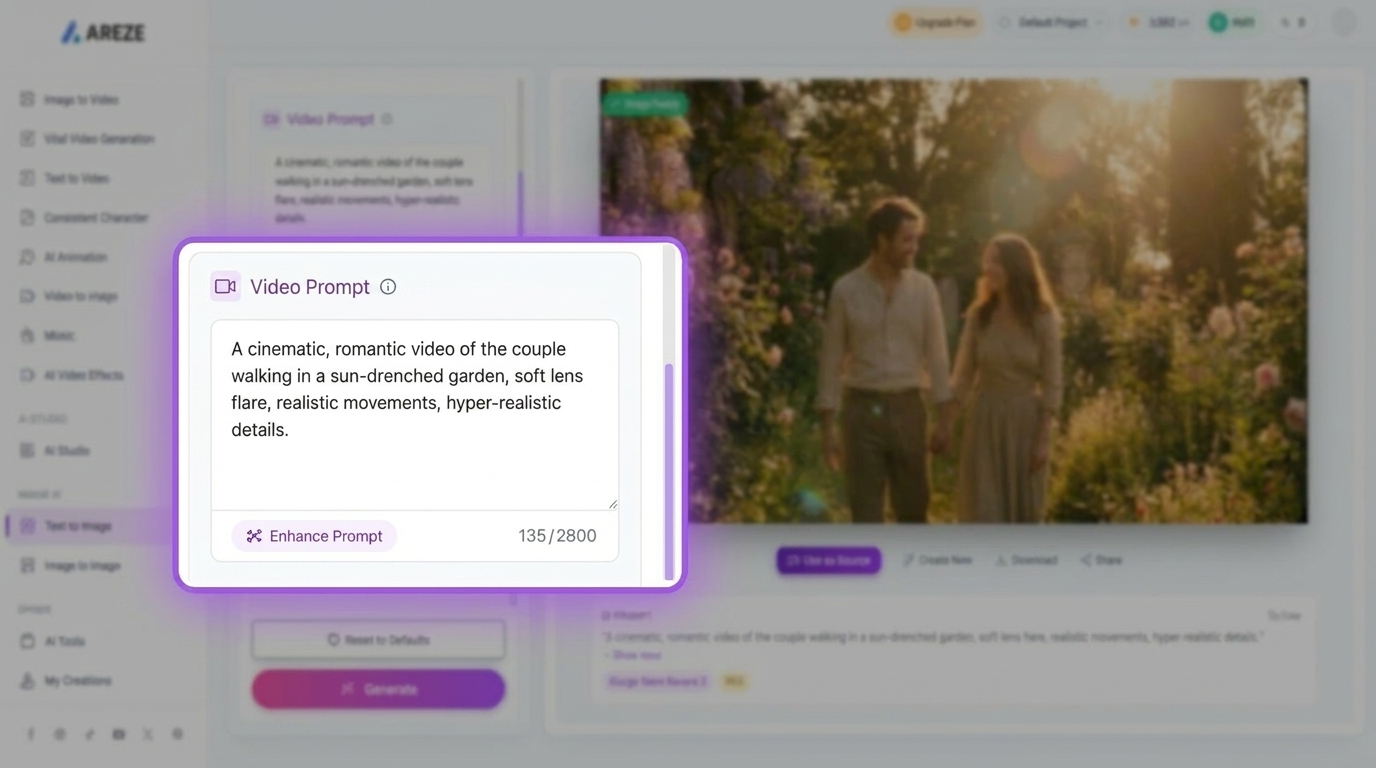
Head to Areze and upload a high-resolution photo. Then describe the scene you want in the prompt box.
Example: A cinematic, romantic video of the couple walking in a sun-drenched garden, soft lens flare, realistic movements, hyper-realistic details.
The more specific you are with the mood and setting, the better the output.
Step 2: Adjust Audio and Video Specifications
Toggle Generate Audio on to add a soundtrack, it makes a noticeable difference in how the final video feels.
Then pick your video length (8 seconds is a solid sweet spot for a punchy, shareable clip) and set your aspect ratio. Go 9:16 for TikTok or Instagram Reels, or 16:9 if you're playing it at a party or event on a big screen.
Step 3: Secure Your Privacy and Render
Set your sharing preferences, toggle Public Visibility on if you want to share it with the Areze community, or keep it off for a private keepsake. If you want to protect your prompt, switch on Copy Protection.
When everything looks good, hit the pink Create button. Your video will be ready in seconds.
Final Thoughts
An anniversary video isn't just a nice gesture, it's something people actually hold onto. With AI handling the heavy lifting, you get studio-quality results without the hours of editing.
Areze AI Creative Studio is built to make every milestone feel as significant as it actually is. Get started today and turn your story into something worth watching again and again.